
The AI-Native IDE
for SREs
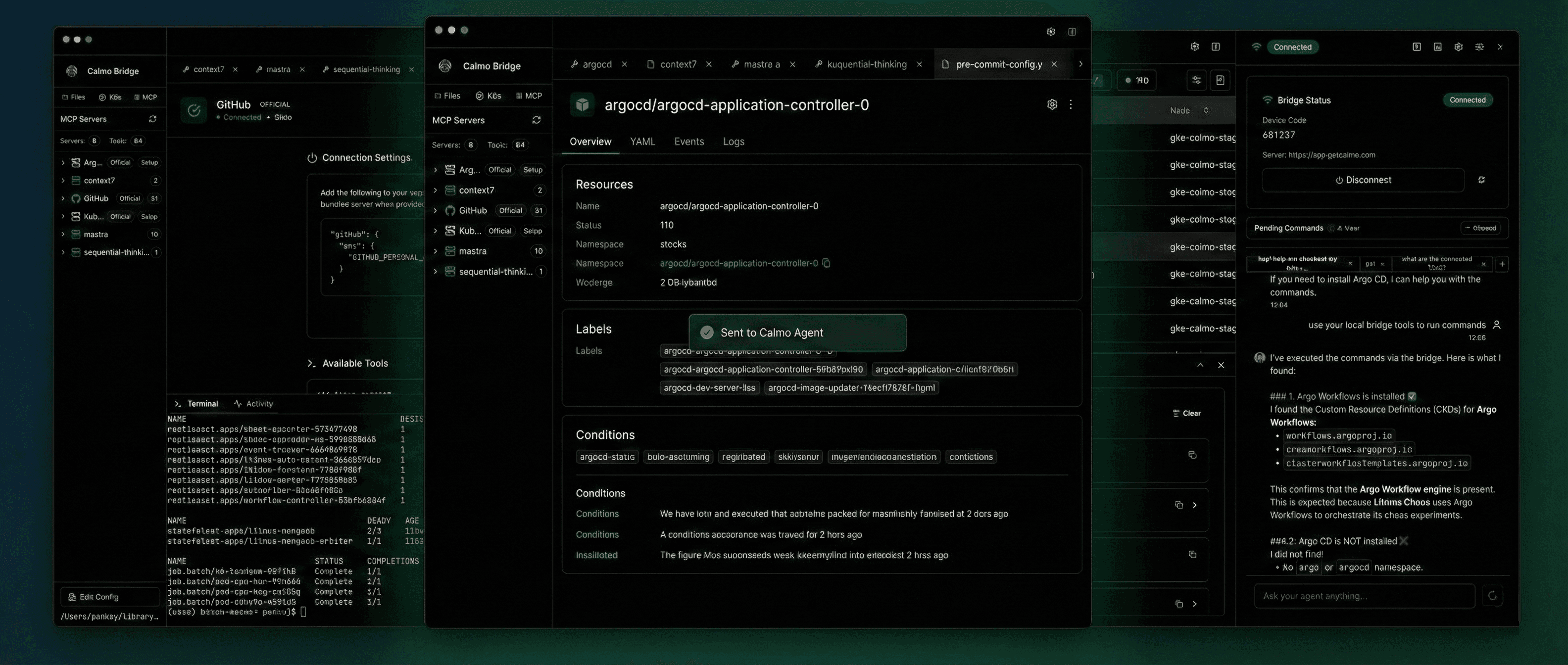
Built from the ground up for Site Reliability Engineers. Calmo AI investigates, suggests solutions, and executes commands—all with approval gates and risk labels. Kubernetes clusters, file editing, and production debugging in one place.
curl -fsSL https://getcalmo.com/get | sh

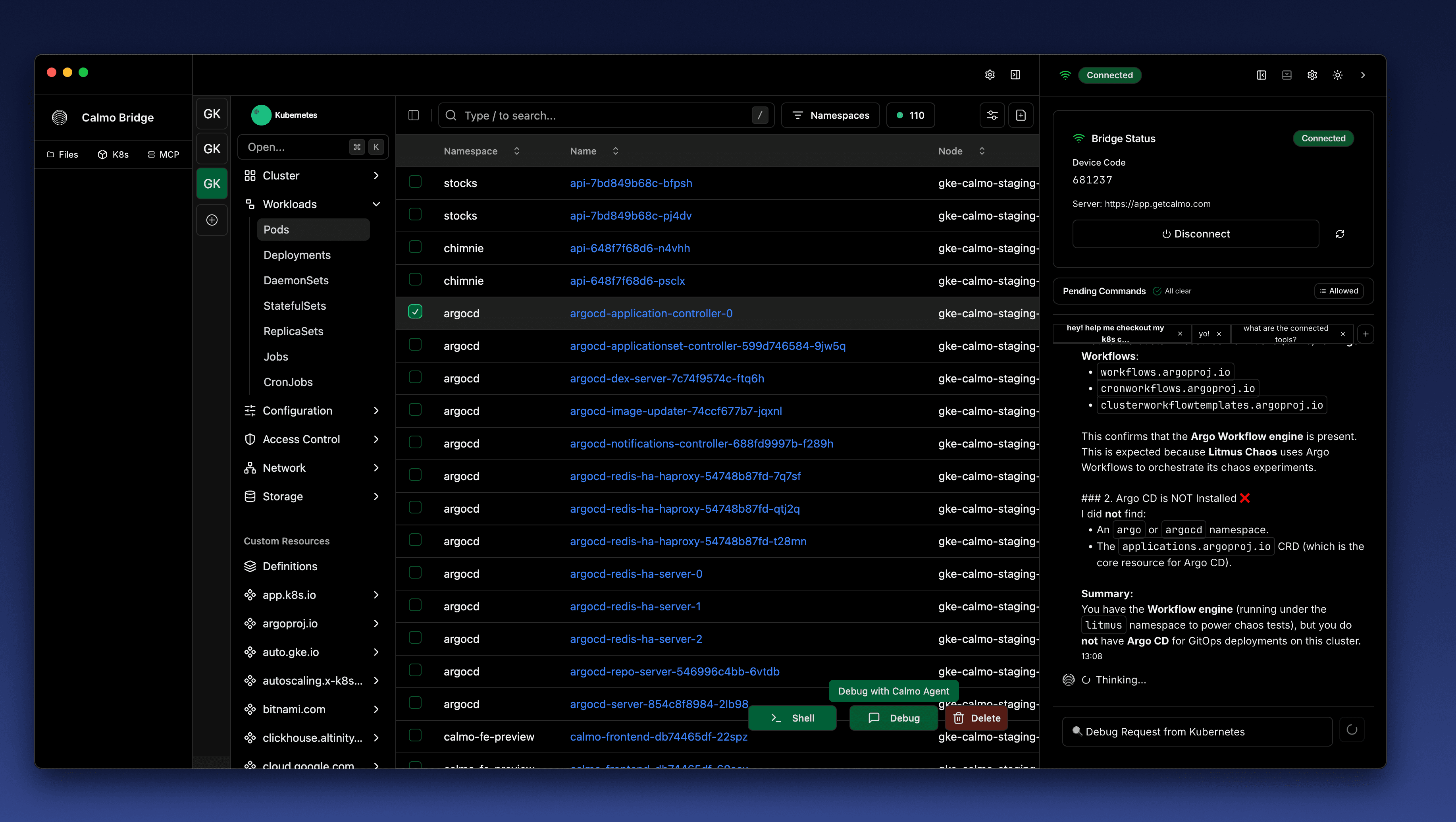
Navigate Kubernetes clusters visually
Browse namespaces, workloads, pods, deployments, and custom resources. View live status, YAML configurations, and logs.
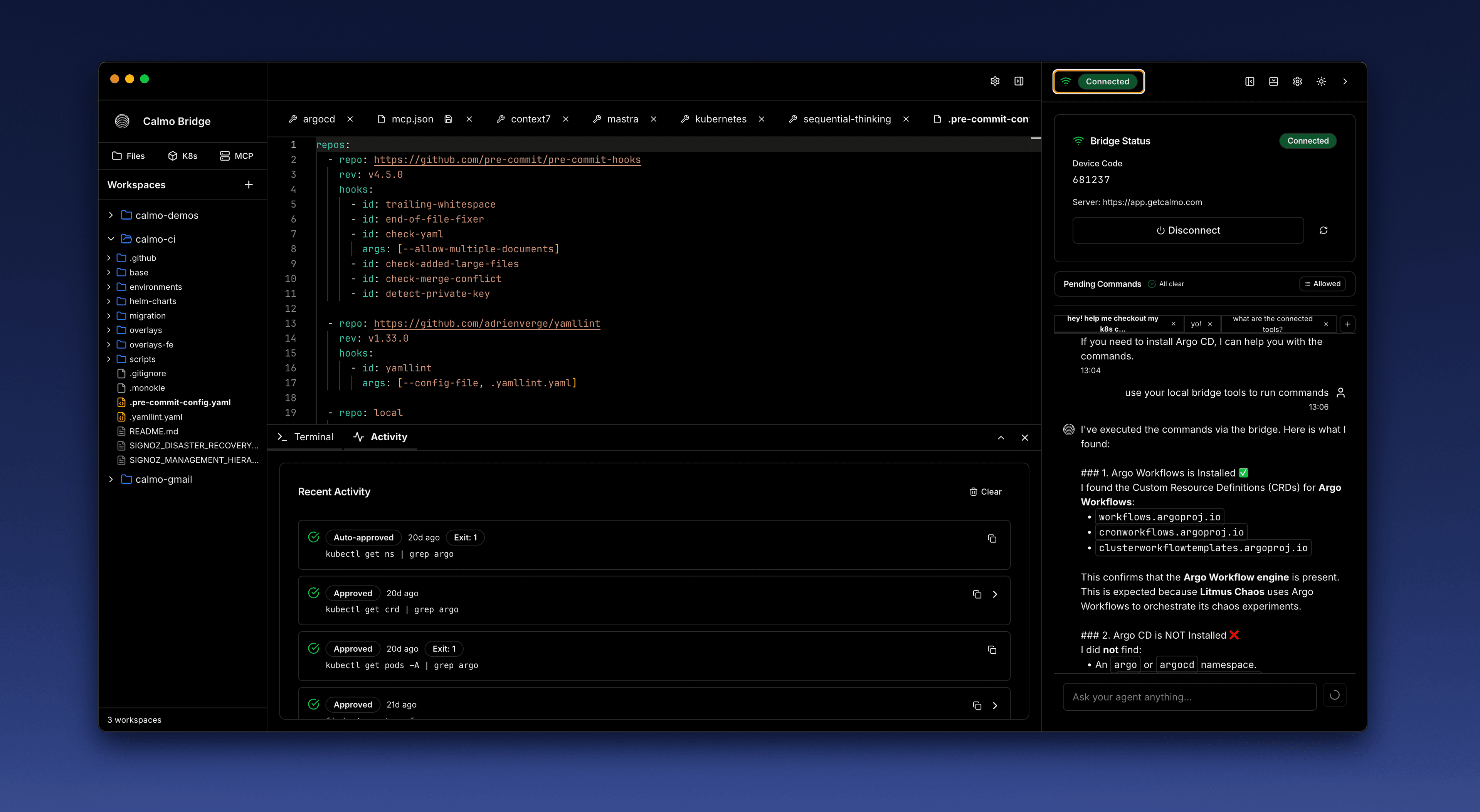
Edit files with built-in AI assistance
Open and edit YAML, config files, and infrastructure code directly in the IDE. Calmo AI helps you understand what changed and suggests improvements.
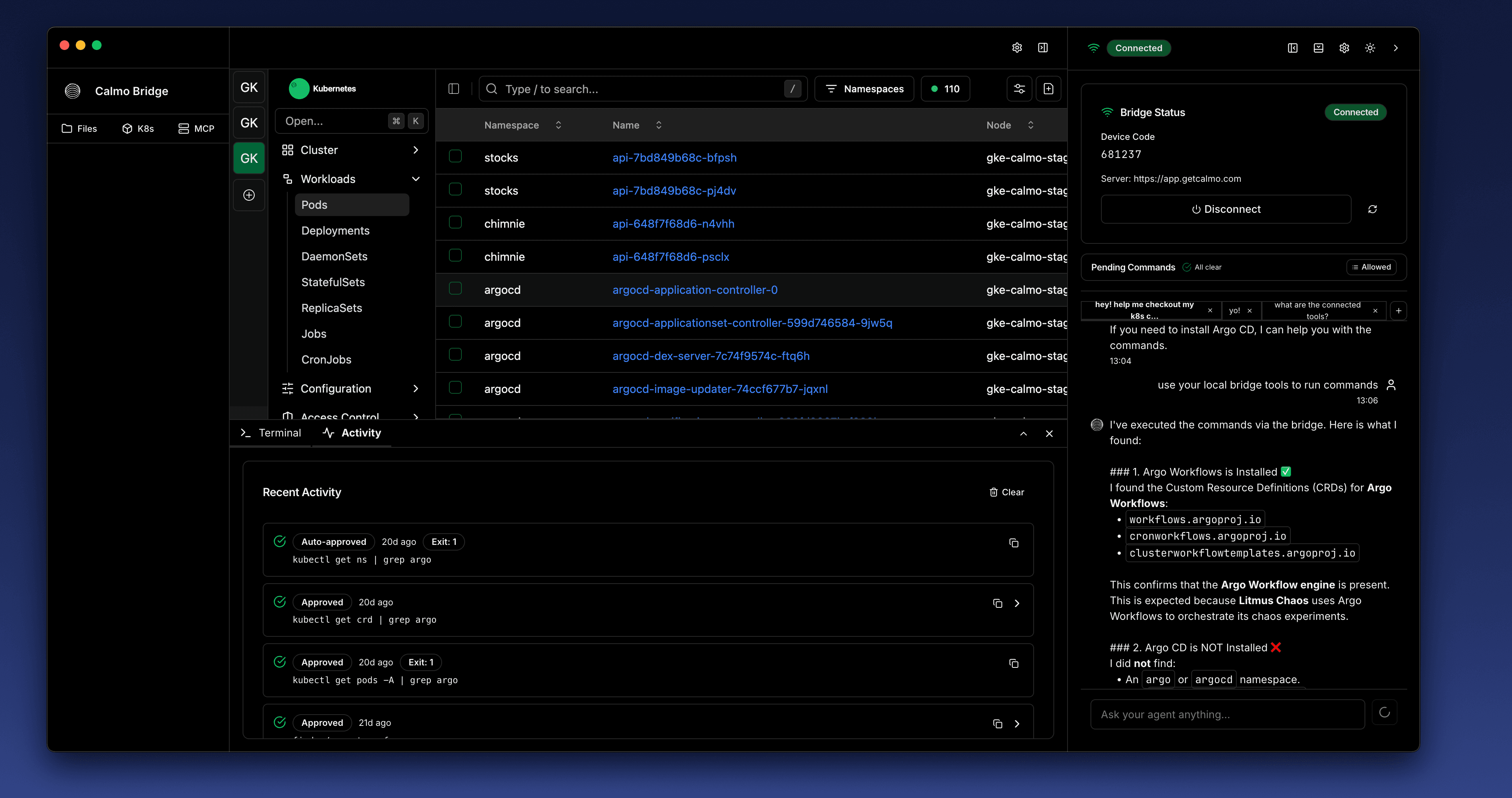
Approval gates for every command
Calmo AI proposes the exact command. You choose: deny, allow once, or auto-approve safe patterns. Each request shows a risk label and full context.
Local workspaces & MCP servers
Add local repos, IaC, and configs as workspaces. Connect MCP servers for docs lookup, custom tools, and more—without removing approval gates.
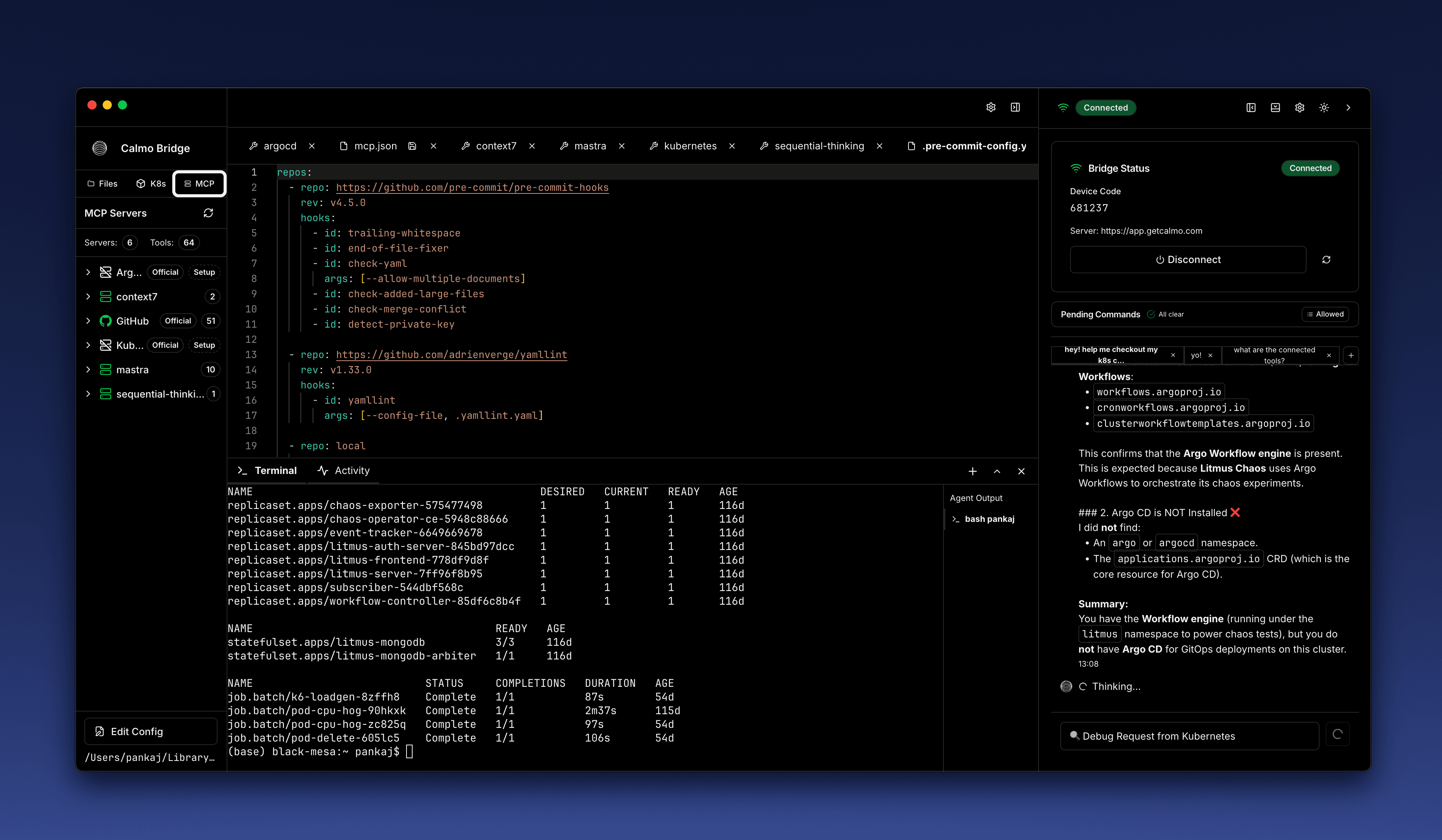
Everything you need, in one IDE
Kubernetes navigation, file editing, AI agent, and approval controls—designed for SRE workflows.
Kubernetes Browser
Visual navigation of clusters, namespaces, workloads, and resources.
Built-in File Editor
Edit YAML, configs, and IaC with syntax highlighting and AI help.
Command Approval Gates
Approve, deny, or auto-approve every command with risk labels.
Local Workspaces
Point Calmo at repos, IaC, and local configs for context.
MCP Server Integration
Connect custom tools and docs lookup via MCP protocol.
Activity & Audit Logs
Full audit trail of commands, approvals, and agent actions.
How it works
From cluster exploration to AI-assisted execution—with full control.
Connect your clusters
Point Calmo IDE at your kubeconfig. Browse namespaces, workloads, and resources visually.
Ask the AI agent
Calmo AI investigates issues, suggests commands, and explains what's happening in your cluster.
Review and approve
See the exact command with risk label. Approve once, deny, or auto-approve safe patterns.
Execute with audit trail
Commands run with your permissions. Everything is logged for compliance and debugging.
Frequently Asked Questions
Find answers to common questions about Calmo and our services.
See it live
30 minutes. Bring a real incident or workflow—we’ll run it end to end.